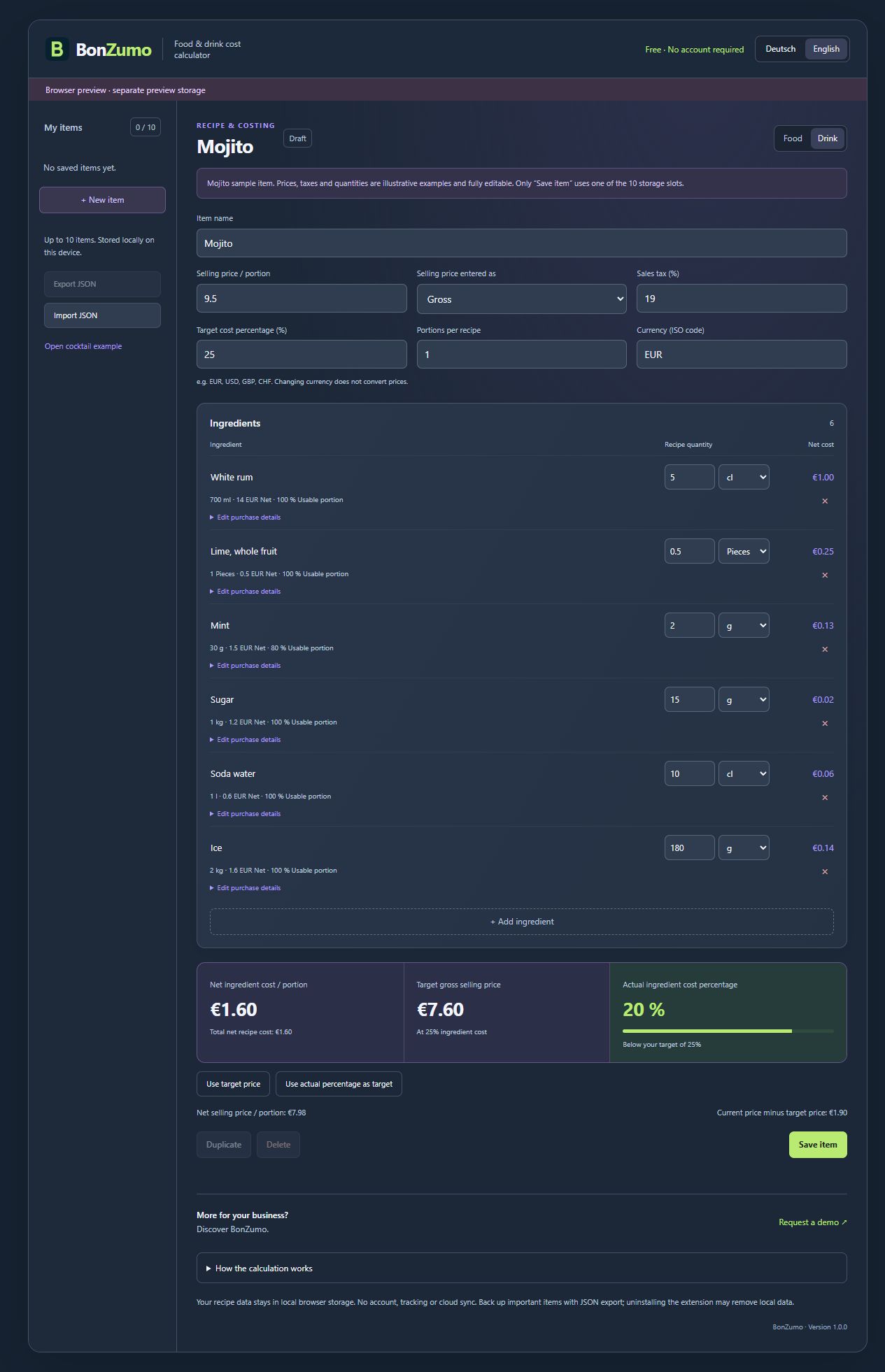
What does a Mojito cost with your ingredients? The free BonZumo food cost calculator helps you answer that practical question. A cocktail is displayed as an example when you first open the extension. Use the DE and EN buttons at the top to switch between German and English. Every example value can be changed: ingredients, pack size, purchase price, quantity used, portions, tax, currency and selling price. You can then calculate a food recipe or a different drink in the same way.
Enter purchase prices either net or gross and choose the appropriate purchase tax rate for each ingredient. Enter your selling price either net or gross too, and set the sales tax separately. Decimal rates and a rate of zero are supported. The tool does not select a country or determine which legal tax rule applies to your business. Use the rates appropriate to your venue and item. All prices within one recipe must use the same currency; the calculator does not perform exchange rate conversions.
Pack size and the quantity used determine ingredient costs. The number of portions divides these costs into the cost of one serving. Food cost percentage compares net ingredient costs with your net selling price. An editable target percentage also produces a target selling price. Labour, rent, energy and other operating costs are not included, so this percentage alone does not show your profit.
Save up to ten food or drink items locally in Chrome. Open, edit, duplicate or delete them when needed. JSON export saves a backup file, and import reads a backup back into the calculator. Recipes are not automatically sent to BonZumo. If you want to connect wider operational workflows, explore the full BonZumo platform in a demo. This small calculator remains free.